You will need to provide the Serial number of your device running MeshOS.
*T-Deck not included!!!
MeshOS is the easiest way to use MeshCore - Designed specifically for the LilyGo T-Deck, Elecrow M9 and LilyGo T-Pager.
MeshOS is a powerful embedded communications software fully approved for MeshCore networks, designed intricately to deliver close to smartphone performance for standalone devices with built in Lora radios, MeshOS removes the need for MeshCore client software running on Android/iOS and puts a complete zero distraction and internet free communications solution in the palm of your hand.
MeshOS Features
Getting started
- Easy to use: 3 steps to set up a new device, with locked-in sensible defaults for MeshOS radios.
- Runs on the LilyGo T-Deck, Elecrow ThinkNode M9 and LilyGo T-Pager*. Flash straight from your browser at the MeshCore Configurator then enjoy online updates over WiFi. (*some features not available on T-Pager)
Chat
- Fluid chat experience with a colourful modern UI: speech bubbles, touch scrolling, colour-coded usernames and avatars, press to reply, delivery ticks and repeat reports.
- WhatsApp style chat view with message previews and long press channel hide/mute/delete.
- Over 250 full-colour emoji with a paged picker (up from the original 30!).
- Choice of Classic or Modern fonts with four chat text sizes.
- Room server support: log in to room servers, chat and sync history.
- Channel participants list with on-device user blocking.
- Share your location into a chat, and tap a received location to see it pinned on the map.
- QR viewer for URLs in messages: scan with a regular smartphone to open the link.
- Core Imageviewer, image links sent with services such as postimages.org can now be viewed over WiFi.
Notifications & display
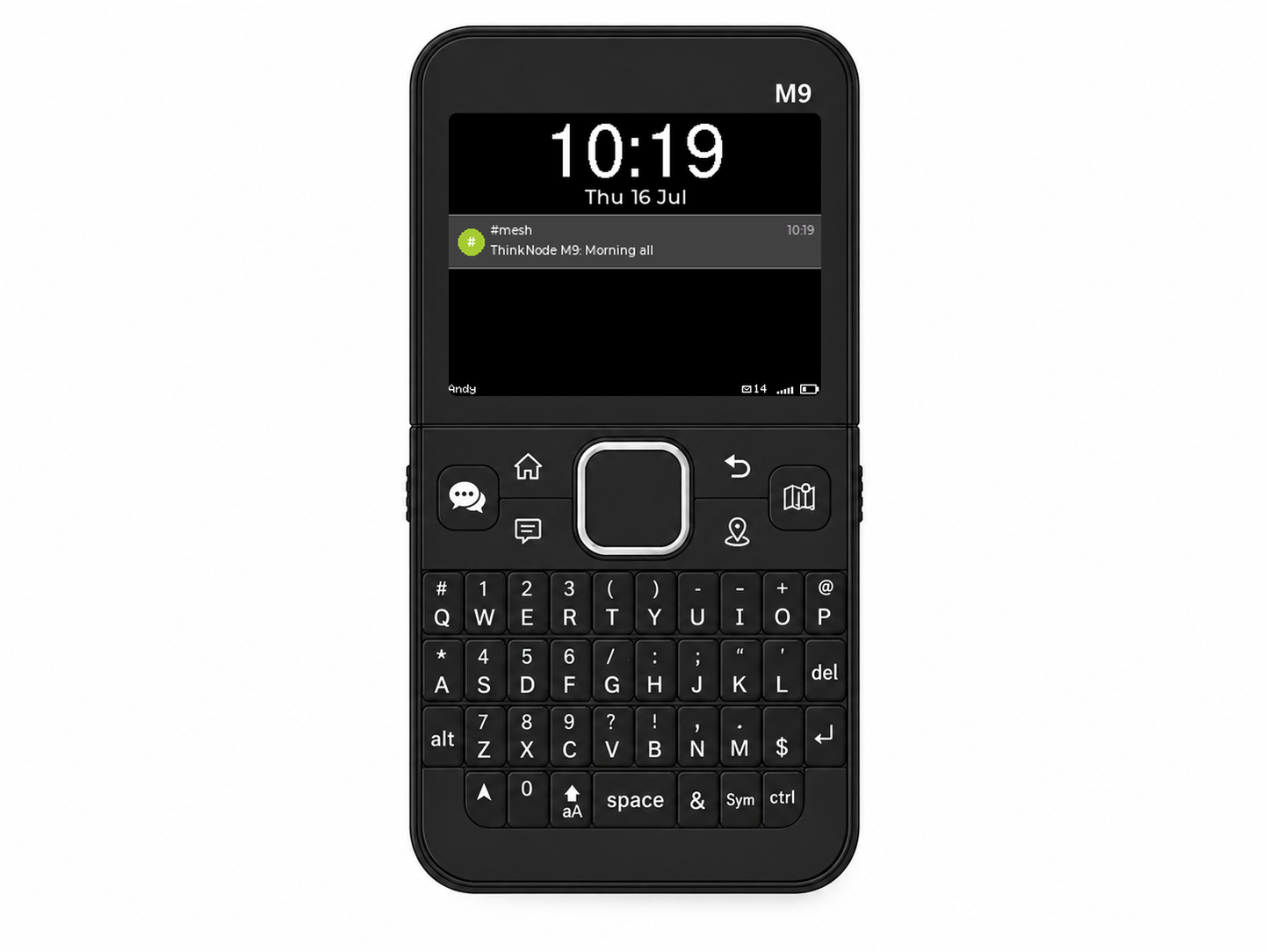
- Message notifications: home-screen popups, unread indicators, screen and keyboard wake on receive (switchable), alert tone with adjustable volume.
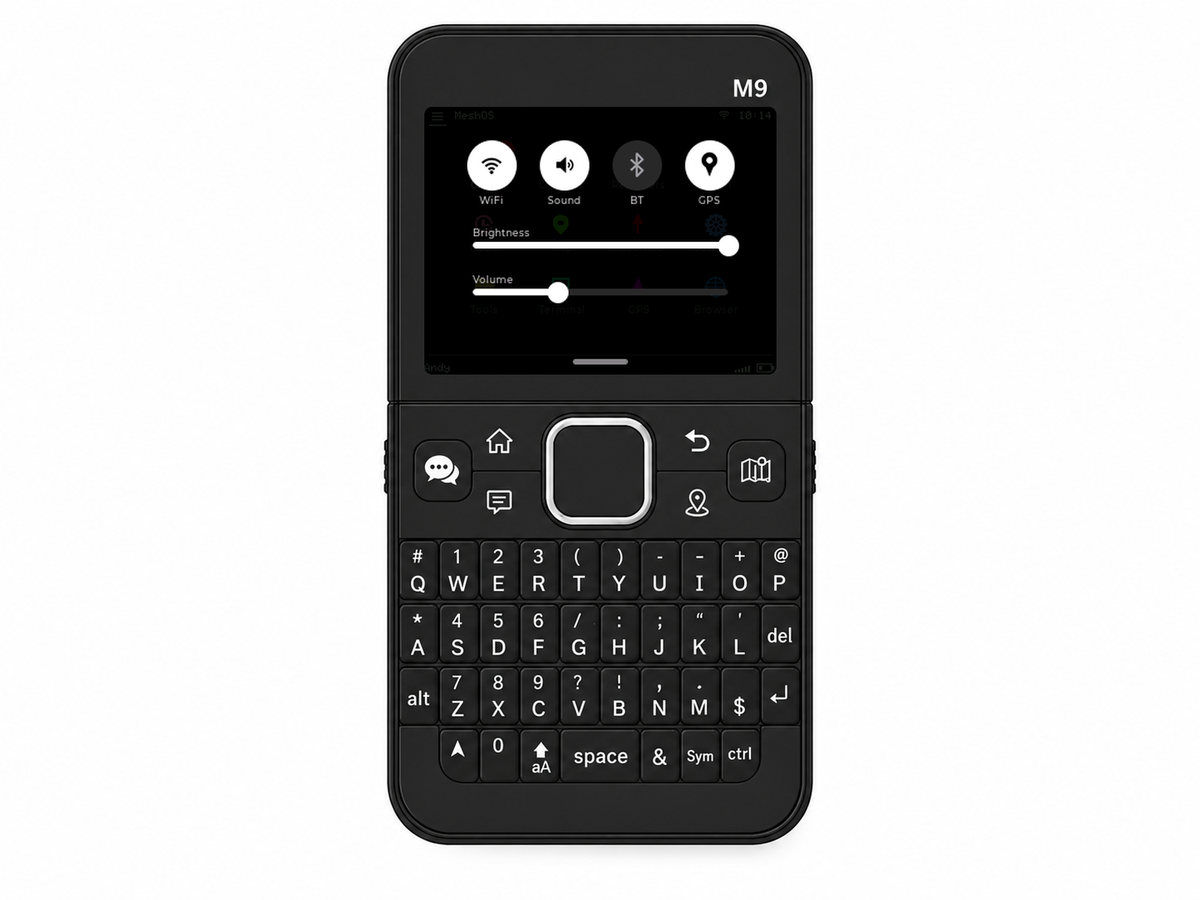
- Pull-down Control Centre: WiFi, Sound, Bluetooth and GPS toggles plus screen-brightness and volume sliders. Swipe down on the T-Deck, or press the speech-bubble button on the M9 and drive it with the joypad.
- Screen brightness setting.
- Auto-dim display timeout and a switchable always-on home/lock screen with clock, mesh signal and battery. Now with custom wallpapers (PNG/JPG, big images auto-scaled).
WiFi
- Full on-device WiFi: save networks, pick from a scan list, test the connection and on/off toggle.
- Live map tiles over WiFi: pan the map and tiles load, full zoom levels 0-18, saved to SD.
- CoreBrowser: a tiny built-in browser for mesh-friendly pages, with news and updates from HQ over WiFi.
- Firmware updates over the air: the device checks meshcore.co.uk and will offer updates, release notes shown before you commit. (SD-card update still works, so there's no computer required either way.)
Maps & radio tools
- GPS map with a built-in worldwide dark style (city names, multiple zoom levels, no tile files required) plus optional live tiles over WiFi. See your own stations, contacts and nearby repeaters, whether or not you've added them to contacts.
- Drop a pin to mark a spot and navigate back to it later; a signal line shows the repeater the last mesh packet came from. (If an advert with a location has been received from the repeater)
- Last-heard list with signal, distance of the latest received stations. Choose your contacts from one heard list stored on the SD card.
- Trace Route: trace paths across the mesh and view signal per hop.
- Noise-floor monitor: a realtime and historical graph, the tool for diagnosing RX issues.
- Mesh Signal: your area's mesh coverage at a glance, smartphone-bars style, including where the last signal came from.
Repeaters
- Repeater scanner (Finder): locate your own repeaters and whitelist them, so every passing repeater doesn't clutter your contacts (configurable).
- Dedicated repeater list and a full-screen management panel: pull stats and neighbours, send adverts, sync the clock, and fire raw CLI commands at your repeater.
- Remote repeater configuration from the same panel: view and edit name, location, radio settings, TX power, advert interval and more, change the password, or reboot the repeater, all over the mesh.
Power tools
- MeshCore Terminal: the first full MeshCore terminal on an embedded device. Everything on the mesh flows through its multi-colour live history. Send on Public and watch which repeaters repeat it; log in to a repeater and its command prompt appears. Mirrored to USB serial for desktop use. Bleeding-edge features always land here first!
- On-device SD file manager and one-press screenshots straight to SD.
- GPS status screen with live satellite detail.
- Built in File manager.
Transform your T-Deck, T-Pager or ThinkNode M9 into a MeshCore power-user device!
Transform your T-Deck into a MeshCore power user device!